
Your best prompts. Ready to use again.
Save your best prompts. Turn repeated details into variables and reuse them on Android. The Chrome extension is in preparation.
AI requests require internet access and your own API account. Provider usage is billed separately.

Save. Personalize. Reuse.
Try a prompt template
Fill in the fields and see your finished text.
Variables
Unique variables detected: 4
How this sample works
A repeated variable receives the same value. Values are inserted once as literal text; this web sample never processes them as another template.
The {{CLIPBOARD_TEXT}} marker is disabled in this sample. The sample never reads your clipboard; Copy writes only after you click it.
Template and each value: up to 1,000 characters. Up to 10 unique variable fields.
Your value Automatic value
From a saved idea to a ready prompt
A library you can return to.
Keep useful prompts in one place instead of searching through old conversations. Local library features remain available offline; AI and sync need a connection.
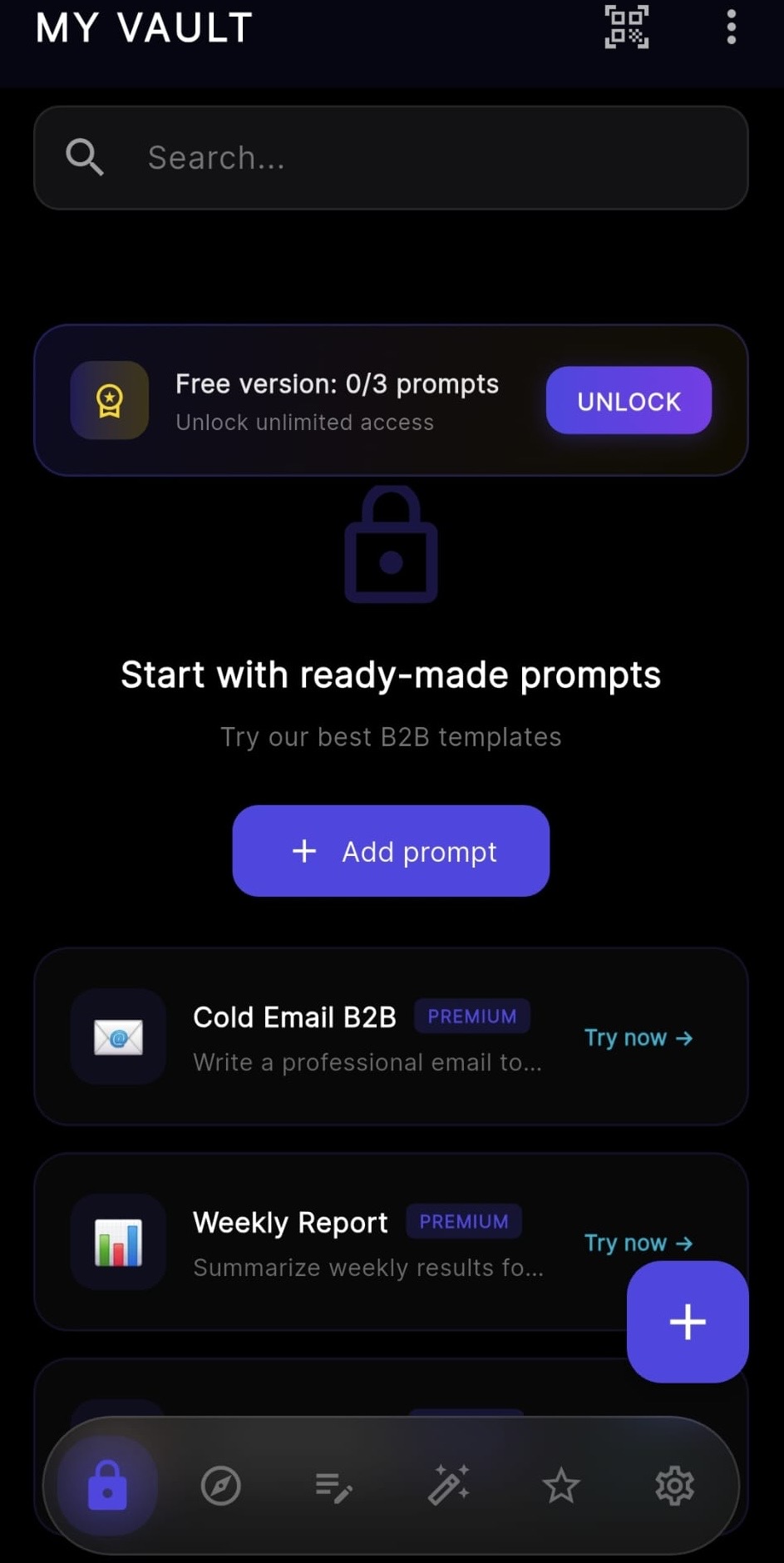
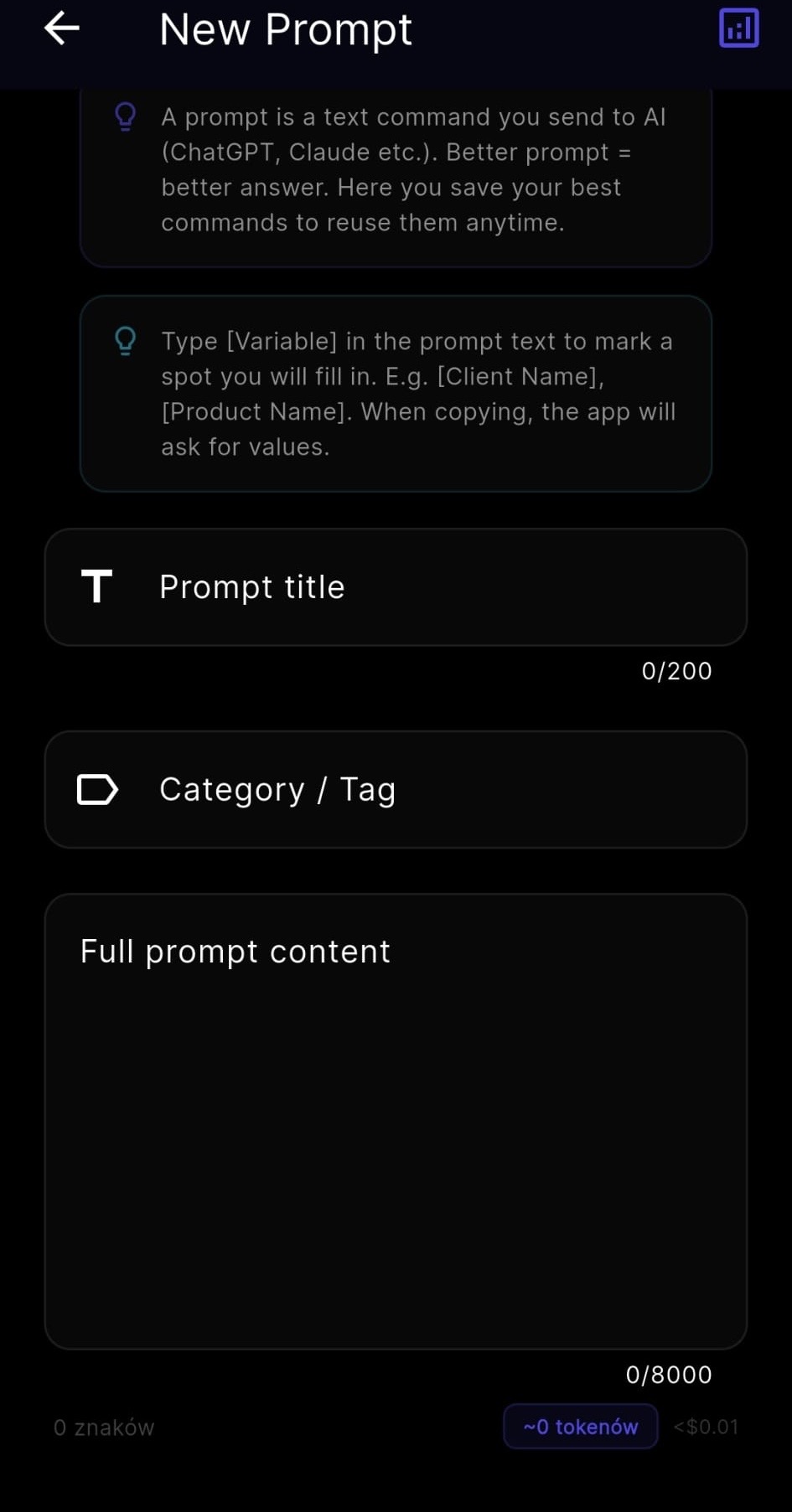
One template, many uses.
Swap in new details using variables, without rewriting the whole prompt.
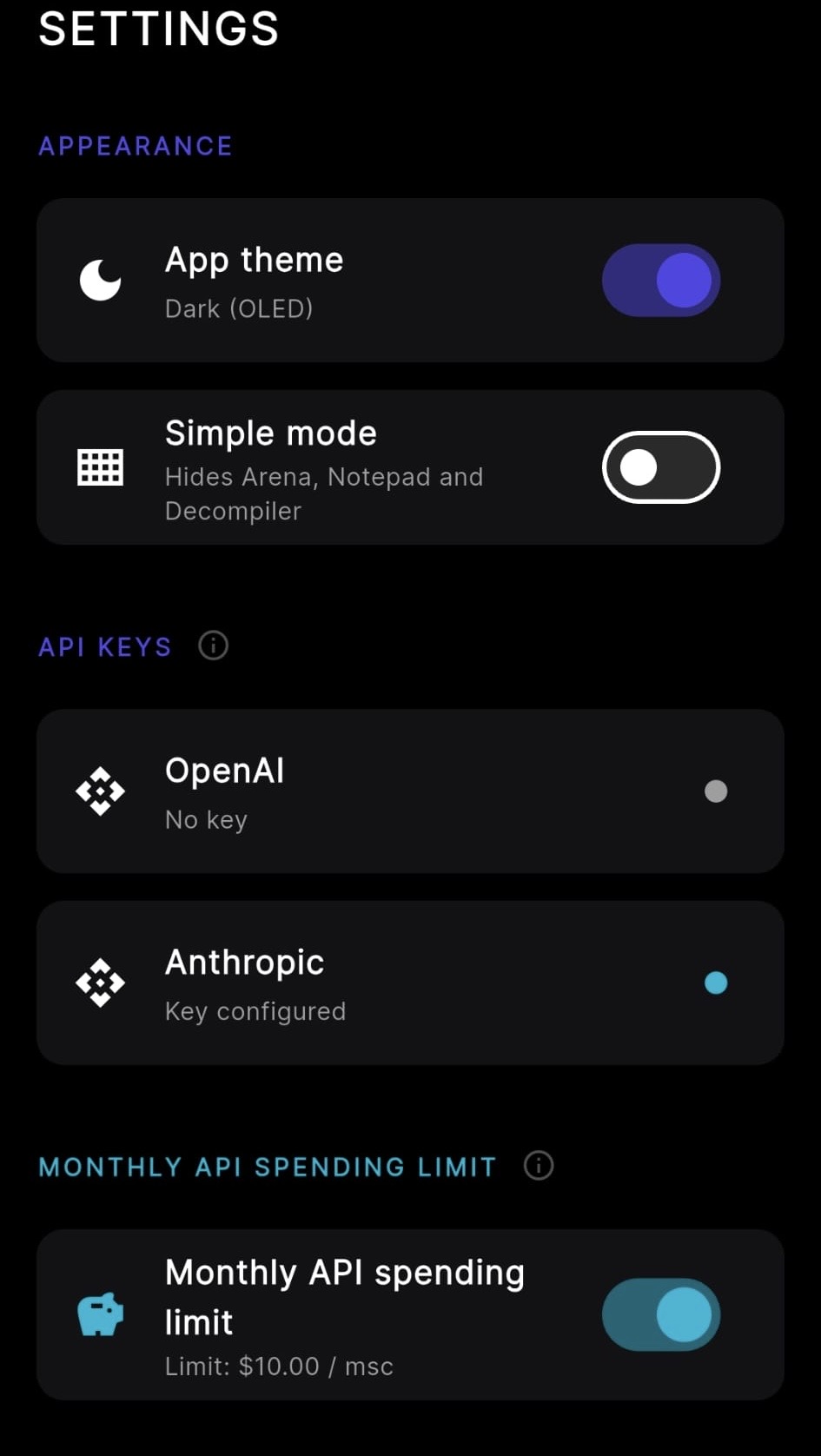
Your provider, your API account.
Connect OpenAI or Anthropic and manage your provider usage separately.
Compare answers side by side.
Use the same prompt to compare supported models, with estimated tokens and costs.
Same prompt sent to two providersWrite 3 ideas to reduce cart abandonment.
Illustrative response
- Show shipping costs earlier
- Shorten checkout to two steps
- Send a cart-reminder email
Illustrative response
- Offer guest checkout
- Show a delivery estimate upfront
- Add abandoned-cart support chat
Your prompts in the Chrome side panel.
The Chrome Extension is in preparation. Once available, it will let you access your library in a side panel and save selected text with confirmation.
Selected text on page (example)
"Average cart abandonment rate: 68% this quarter."Saved prompts (example)
- Cart recovery email
- Meeting follow-up
- Bug report template
Good prompts disappear into old chats
Your best prompt gets lost
It is buried somewhere in a chat history you will never scroll back to.
You retype the same details
Names, companies, goals — rewritten by hand every single time.
It's hard to compare answers
Asking the same question in two tabs and comparing the answers by eye is slow, and mistakes are easy to miss.
Three steps, every time
Save a prompt worth keeping.
Turn repeated details into variables.
Fill it in, copy it, or send it to your AI provider.
What happens to your data depends on what you do
Use local mobile library features on your device. After sign-in, prompts and context data sync to the cloud. When you request an AI response, the request content is sent to your selected API provider. You choose what to include in the prompt.
Local library (Android, no account)
Stays on your device. This action doesn't need to sync.
Signed-in account
Prompts and context data sync to our Supabase database and become available on your other signed-in devices. This also applies to Free accounts. The Chrome extension is in preparation.
An AI request you send
The request content goes directly to OpenAI or Anthropic and is authenticated with your API key.
Reporting an AI response (optional)
If you explicitly press Send on the report control, an excerpt of that response is sent to our backend. This is a deliberate exception — it does not happen automatically.
- The local database itself is not encrypted by the app; a PIN lock is not proof that all stored data is encrypted. JSON exports and QR codes can contain plain, readable text.
- On Android, API keys are stored in secure device storage backed by the Android Keystore; hardware-backed protection depends on the device. The Chrome Extension uses a different storage model and does not get Android Keystore protection.
- Cloud sync is not an independent backup — deletions can also sync.
- Smart Context is optional and off by default. When you turn it on, it reads specific supported fields on the page you have open, locally, after Chrome grants site access; it does not read your whole browsing history or every page automatically.
Your library, across devices
Android
Not yet available for public download on Google Play.
Chrome Extension
The Chrome Extension is in preparation and not yet available in the Chrome Web Store.
iOS
Not available. No release date announced.
Free to start, Premium when you need more
Premium unlocks Prompt Secure features. OpenAI and Anthropic API usage is billed separately by those providers.
- Up to 3 of your own prompts
- Templates with variables
- Cloud sync after sign-in
- Connect your own API key
- Unlimited prompts in your vault
- Expert template library in Polish, English and Korean
- Arena — compare supported AI models side by side
Billed annually at $48.99. Save 32% vs. paying monthly.
One-time purchase for Premium access, without a recurring subscription. OpenAI and Anthropic API usage is billed separately; credits and separate future products are not included.
Check availabilityReference prices for the US market. Your Google Play region determines the purchase price and currency, not the website language. The store price is authoritative. Prices checked in Google Play on 2026-10-31.